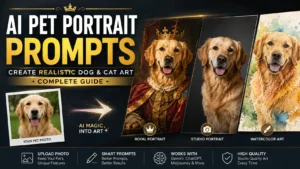
Turn your dog or cat into studio-quality AI art with copy-ready prompts for Gemini, ChatGPT & Midjourney
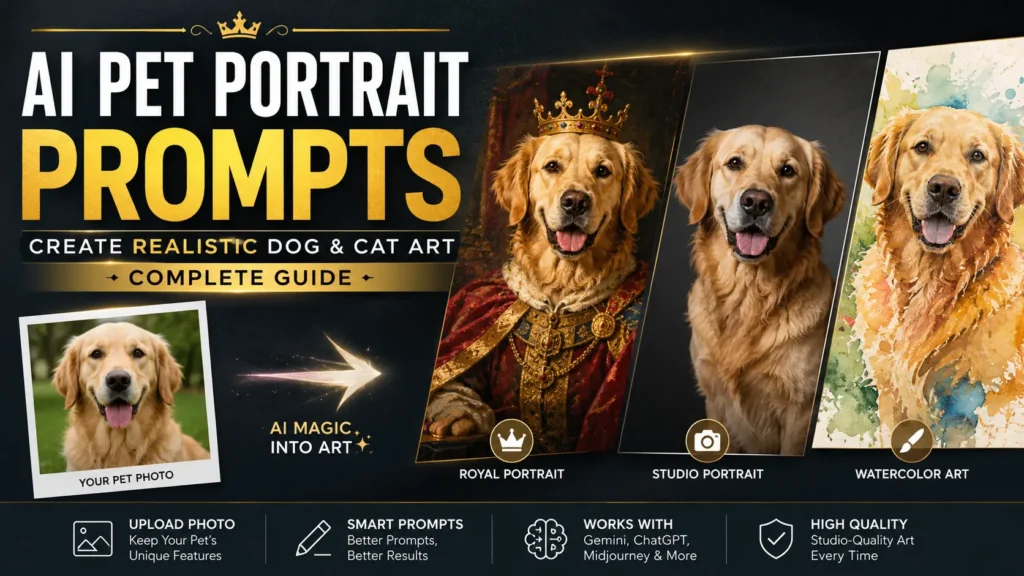
Upload a photo of your dog. Type a few words. Get back something that looks vaguely like a golden retriever wearing a crown, but not your golden retriever — the eyes are the wrong shade, the white patch on the chest has moved to the wrong side, and the personality that makes your dog your dog is nowhere in the frame.
That’s the most common complaint about AI pet portraits, and it’s rarely a tool problem. It’s a prompt problem. AI image models are exceptionally good at generating “a dog” or “a golden retriever.” They’re much worse at generating your golden retriever unless you tell them exactly what makes your pet identifiable — and in what order that information matters.
Discover more👇
Gemini AI Photo Editing Prompts Guide for Realistic Results
Lighting in AI Art – The One Prompt Skill That Changes Everything
Below you’ll find ready-to-copy prompts for dogs, cats, and multi-pet households, a reusable formula for writing your own, and the specific fixes for the mistakes that quietly ruin most AI pet portraits. Every example is written for Gemini’s Nano Banana Pro first, since that’s currently the strongest tool for editing an uploaded pet photo while keeping the actual animal recognizable — but every prompt here also works in ChatGPT Image, Midjourney, and Ideogram with only minor adjustments, which we’ll flag as they come up.
Quick-Copy AI Pet Portrait Prompts
If you just want something to paste in right now, start here. Upload a clear photo of your pet first, then use one of these. Swap the bracketed details for your own pet’s actual coloring and markings — that swap is what separates a portrait that looks like your pet from one that looks like a stock photo.
Dog — Royal portrait:
Using this photo, transform the dog into a formal Renaissance oil portrait. Keep the exact fur color, eye color, and facial markings unchanged. Add a deep red velvet robe trimmed in gold and a small jeweled crown. Dark painterly background with a soft gradient, dramatic side lighting, visible oil brushstroke texture, dignified regal pose.
Cat — Studio headshot:
Using this photo, create a professional studio portrait of the cat. Keep the exact coat pattern and eye color unchanged. Clean neutral grey background, soft diffused lighting from the front-left, subtle fill light from the right, sharp focus on the eyes, natural fur texture with visible individual hairs, shallow depth of field.
Dog — Watercolor storybook:
Using this photo, turn the dog into a watercolor illustration. Preserve the exact coat color and markings. Soft bleeding color edges, visible paper texture, loose expressive brushwork, pastel color palette, gentle storybook quality, warm natural light, simple sage-green background.
Cat — Vintage oil painting:
Using this photo, render the cat as a classical oil painting portrait. Keep the exact fur pattern and eye color unchanged. Rich dark background with subtle gradient, visible individual brushstrokes following the direction of the fur, warm gallery lighting, old-master color palette, dignified pose.
Multi-pet — Two pets, one portrait:
Using these two photos, place both pets together in one portrait, side by side, same lighting and color grading throughout. Keep each pet’s exact fur color, markings, and eye color unchanged from their individual photo. Simple unified background, soft natural light, cohesive single-image composition.
Any pet — Quick edit-in-place:
Using this photo, keep the pet’s pose, fur color, markings, and eye color exactly as shown. Only change the background to a softly blurred autumn park setting and adjust the lighting to warm golden-hour light.
The Best AI Pet Portrait Prompt Formula
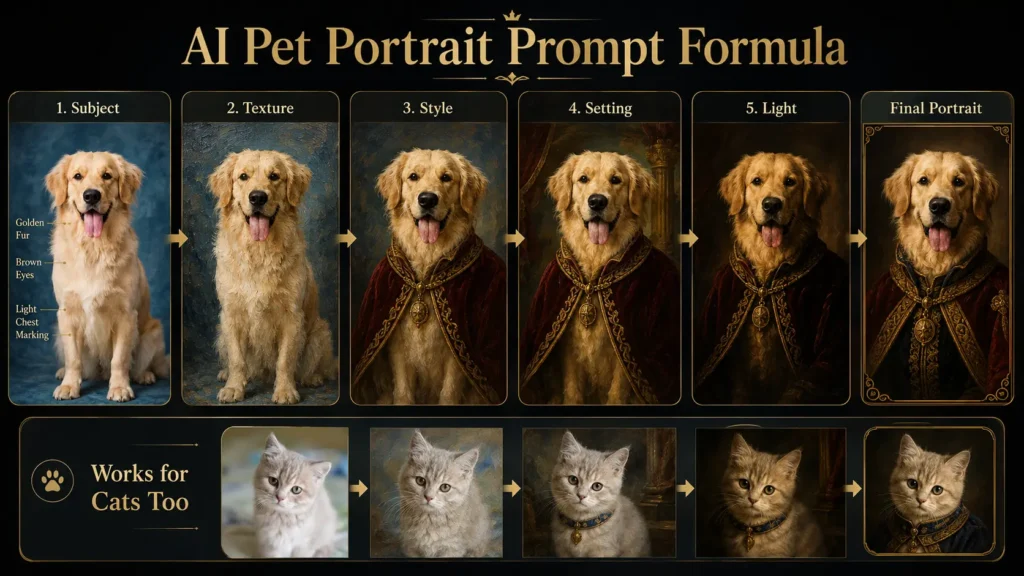
Every prompt above follows the same underlying structure. Once you understand it, you can build a prompt for any style without hunting for a template.
Why this matters more for pets than almost any other AI image category: when you ask a model for “a portrait of a fluffy orange cat,” it doesn’t generate a cat — it generates a statistical average of every orange cat it has processed. Your cat is not the average. Your cat has a torn ear, one green eye, and a habit of squinting instead of looking wide-eyed at the camera. None of that survives unless your prompt forces the model to pay attention to it.
The formula has five parts, always in this order:
1. Subject anchor — the specific animal, named precisely. Breed or species, coat pattern, eye color, and one distinguishing feature (a folded ear, a crooked whisker, a white paw). This is the layer people skip, and it’s the one that actually preserves likeness. “Golden retriever” produces a generic golden retriever. “Golden retriever with a darker muzzle and one ear that folds forward” gives the model something to hold onto.
2. Material and craft detail — the medium, described in terms of how it renders fur specifically. “Oil painting” alone tends to produce a flat, airbrushed look. “Oil painting with visible individual brushstrokes following the direction of the fur” does not.
3. Styling — the costume, era, or treatment layered on top: a velvet robe, a superhero cape, a holiday sweater.
4. Setting — the background and environment, stated explicitly rather than left to default.
5. Light and camera — the lighting quality and lens behavior: golden hour, studio softbox, Rembrandt side lighting, shallow depth of field.
A quick before-and-after. A weak version of a prompt might read: “Portrait of my dog as a king.” A strong version of the same idea, using the formula above, reads: “Portrait of a black-and-tan German Shepherd with one erect ear and one that folds slightly, wearing a deep red velvet robe trimmed in gold, small crown, dark regal background, oil painting texture with visible brushstrokes, dramatic side lighting.” The second version names a real, checkable identifier (the ear asymmetry), specifies the medium’s texture, and defines the lighting instead of leaving it to chance — which is why it comes back looking like an actual dog wearing a costume, not a generic dog-shaped mascot.
How to Choose the Right Reference Photo
The prompt does maybe 40% of the work. The reference photo does the rest — it’s the single biggest lever you have, more influential than any wording choice.
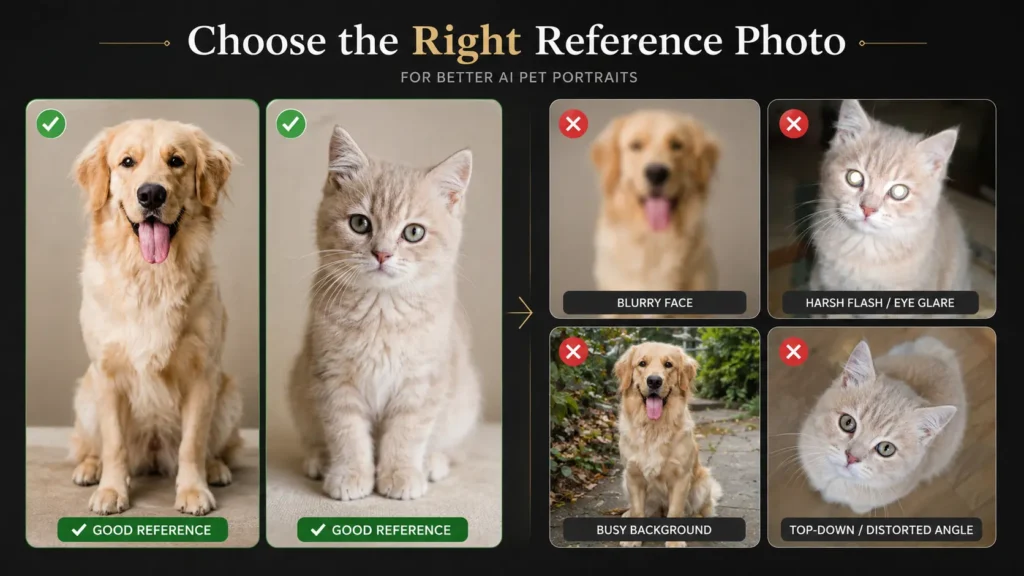
A good reference photo is:
- Sharp and well-lit, with the face clearly in focus. A slightly blurred body is fine; a blurred face is not.
- Shot in natural window light or open shade. Direct flash flattens fur texture and creates glare on eyes and wet noses.
- Set against a simple background. Busy backgrounds — houseplants, patterned blankets, other pets in frame — get incorporated into the portrait, sometimes merging into the fur in strange ways.
- Unfiltered. Beauty modes, saturation boosts, and vintage filters distort the exact colors and textures the model needs to read.
- Front-facing or a gentle three-quarter angle, at the pet’s eye level. Extreme wide-angle close-ups distort snouts and ear proportions; top-down shots hide the face almost entirely.
If your pet won’t hold still, shoot in burst mode and pick the sharpest frame afterward rather than trying to time a single shot. And generate three or four variations from the same photo before picking a favorite — small differences in how the model interprets markings show up between attempts, and the first result is rarely the best one.
AI Pet Portrait Prompts by Style
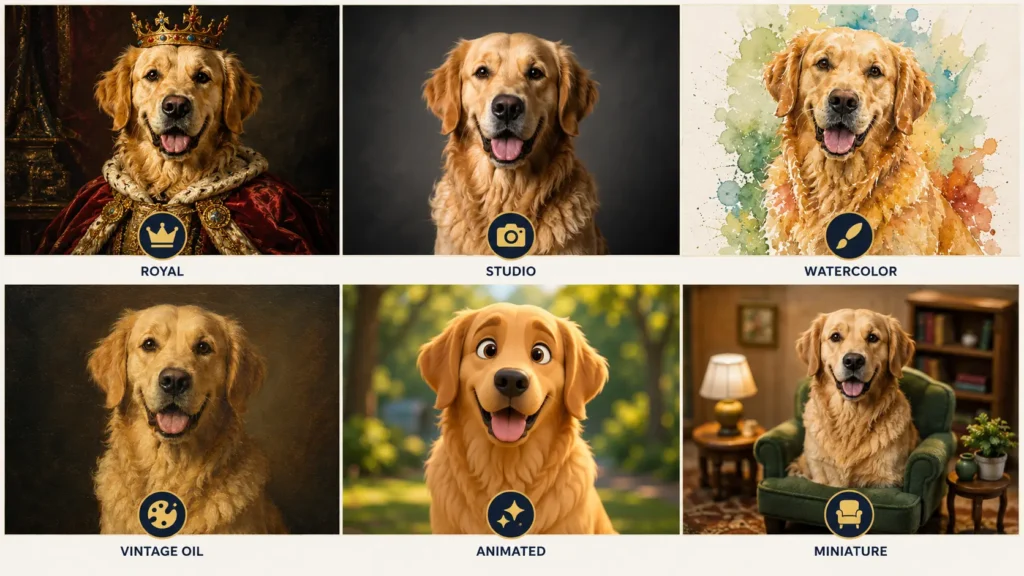
Royal & Renaissance Portraits
This is the most-shared pet portrait style right now, and it’s worth understanding why it works before copying the prompt: the humor and charm come entirely from the contrast between a familiar, informal pet face and the formality of court portraiture. A regal costume on a generic, average-looking pet face isn’t charming — it’s just a costume on a stranger. Interestingly, the pairing of pets and court portraiture isn’t a purely modern joke, either. Dogs appeared at their owners’ feet in noble portraiture for centuries, and one popular toy breed, the Cavalier King Charles Spaniel, was deliberately bred in the 1920s to resemble the spaniels seen in 17th-century royal paintings.
Dog prompt:
Using this photo, transform the dog into a formal Renaissance oil portrait. Keep the exact fur color, eye color, and any facial markings unchanged. Dress in a deep burgundy velvet robe with gold trim and a lace ruff collar, small ornate crown, dark background with a soft classical gradient, dramatic Rembrandt-style side lighting, visible oil brushstroke texture, dignified regal pose.
Cat prompt:
Using this photo, transform the cat into a royal Renaissance portrait. Keep the exact coat pattern and eye color unchanged. Dress in an elegant velvet collar with a small gold pendant, seated in a regal pose on a cushioned throne, rich tapestry background, warm gallery lighting, oil painting texture with visible brushstrokes.
Other pets (rabbits, birds, small mammals): the same structure works well, but keep the costume proportionate — a full velvet robe reads oddly on a hamster. A small jeweled collar or a miniature crown, paired with the same dark classical background and oil-painting texture, keeps the joke intact without fighting the animal’s actual scale.
Studio Realistic Portraits
The “corporate headshot for pets” treatment is popular precisely because it’s a little absurd applied to an animal, but dial the joke back and it produces genuinely nice, printable wall art.
Dog prompt:
Using this photo, create a professional studio portrait of the dog. Keep the exact fur color and markings unchanged. Clean neutral grey background, soft diffused lighting from the front-left with subtle fill light from the right, sharp focus on the eyes, natural fur texture with individual hairs visible, shallow depth of field, calm and alert expression.
Cat prompt:
Using this photo, create a professional studio portrait of the cat. Keep the exact coat pattern and eye color unchanged. Plain white background, soft even studio lighting, crisp focus on the whiskers and eyes, natural fur texture, subtle catchlight in both eyes, shallow depth of field.
Watercolor Storybook Portraits
Works especially well for softer, fluffier breeds and for gift pieces — the loose style is forgiving of small likeness imperfections in a way photorealism isn’t.
Dog prompt:
Using this photo, turn the dog into a watercolor illustration. Preserve the exact coat color and markings. Soft bleeding color edges, visible paper texture, loose expressive brushwork, warm pastel palette, gentle storybook illustration quality, sitting in a sunlit garden, soft natural light.
Cat prompt:
Using this photo, turn the cat into a watercolor illustration. Preserve the exact fur pattern and eye color. Soft bleeding edges, visible paper texture, loose brushwork, pale sage and cream color palette, curled up on a windowsill, gentle afternoon light.
Vintage Oil Painting Portraits
The classic “hang it in the hallway” style. This is where fur-texture language matters most — without it, results default to a flat, airbrushed look regardless of the tool used.
Dog prompt:
Using this photo, render the dog as a classical oil painting portrait. Keep the exact fur color and markings unchanged. Rich dark background with a subtle gradient, visible individual brushstrokes following the direction of the fur, warm gallery lighting, old-master color palette, dignified seated pose.
Cat prompt:
Using this photo, render the cat as a classical oil painting portrait. Keep the exact coat pattern and eye color unchanged. Deep green-black background with soft gradient, visible brushstroke texture in the fur, warm directional lighting, subtle gold-toned highlights, poised and alert expression.
Illustrated & Animated Style Portraits
Hand-drawn animation styles are hugely popular for social sharing. It’s worth keeping the description generic rather than naming a specific studio or franchise by name — “soft painterly animation style with warm lighting and expressive eyes” gets you the same dreamy, storybook look, and it gives you more actual control over the result than a one-word style reference does.
Dog prompt:
Using this photo, reimagine the dog as a hand-painted animation-style illustration. Keep the exact fur color and markings recognizable. Large expressive eyes, soft cel-shaded fur, warm pastel color palette, gentle dreamy lighting, standing in a sunlit meadow with soft floating light particles, whimsical and heartwarming mood.
Cat prompt:
Using this photo, reimagine the cat as a hand-painted animation-style illustration. Keep the exact coat pattern and eye color recognizable. Large glossy expressive eyes, soft cel-shaded fur, warm color palette, perched on a windowsill overlooking a softly painted village, gentle afternoon light, cozy storybook mood.
Miniature Toy-Scene Portraits
A newer, more playful trend: shrinking the pet into a tiny, toy-like version placed in an everyday scene. Best treated as a novelty piece rather than a display portrait.
Dog prompt:
Using this photo, create a hyper-realistic miniature scene where the dog appears toy-sized, placed on a wooden desk beside a coffee mug and an open notebook. Soft natural window light, macro photography style, shallow depth of field emphasizing the size difference.
Cat prompt:
Using this photo, create a hyper-realistic miniature scene where the cat appears toy-sized, sitting on a bookshelf next to a row of small hardcover books. Warm indoor lighting, macro photography style, shallow depth of field.
Want a Bigger Prompt Library?
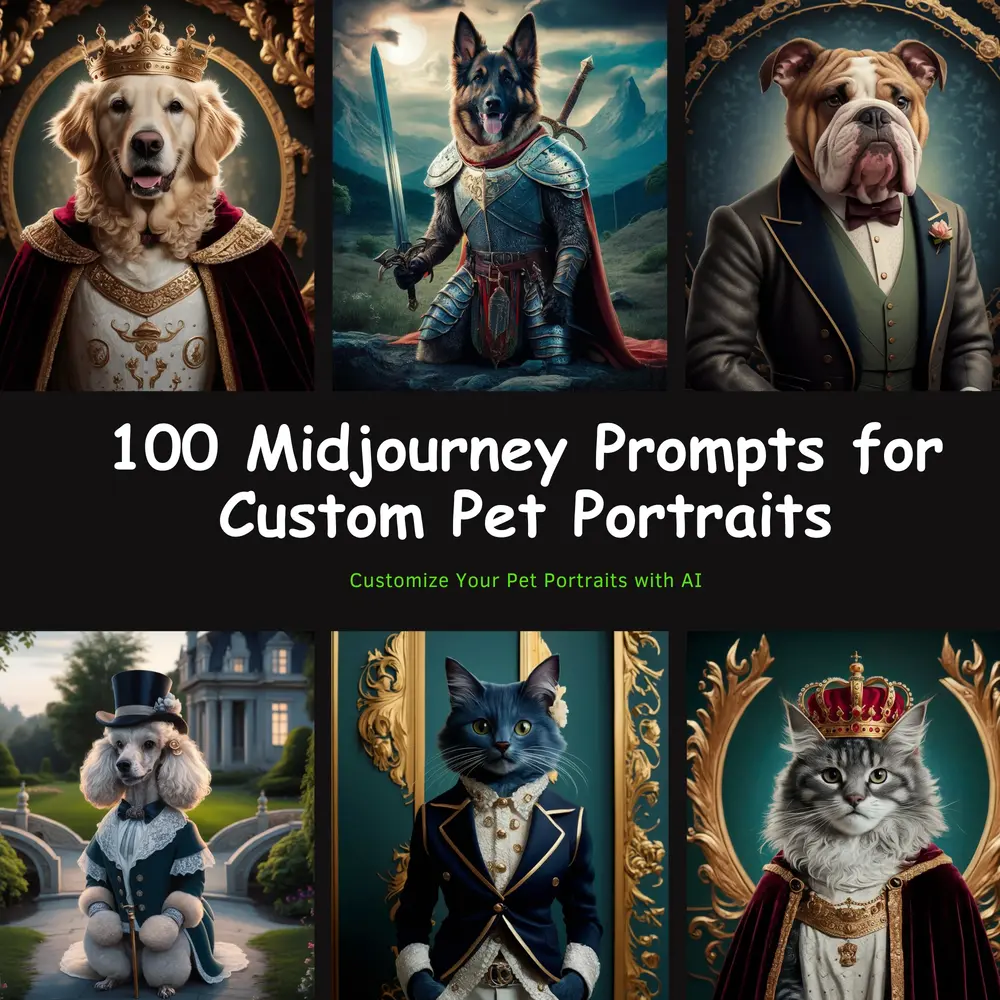
If you want more categorized, ready-to-use options beyond what’s covered here, our 📥100+ Midjourney Prompts for Custom Pet Portraits pack is a downloadable PDF built around the same idea — over 100 prompts sorted by style, written for Midjourney but usable with the other tools covered in this guide.
Multi-Pet and Pet-and-Owner Portraits
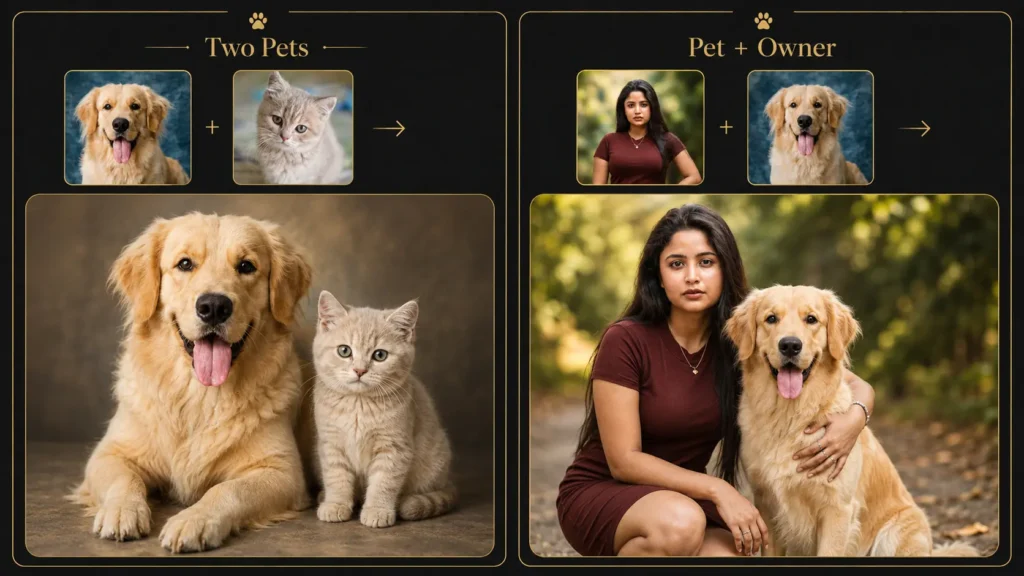
Combining Two or More Pets
If you have more than one pet, resist the urge to generate them together in a single pass from one text prompt. Every major tool currently struggles with the same problem: when two or more animals are generated together from scratch, markings tend to blur or swap between them — your tabby’s stripes can end up on your tuxedo cat, or vice versa.
The more reliable workflow:
- Generate or edit each pet individually first, in the exact style you want, using a clear solo reference photo for each one.
- In a second step, prompt the tool to combine the two finished images into one composition. Gemini and ChatGPT Image both currently handle this compositing step noticeably better than they handle “generate two pets together” from a single prompt.
- Be explicit about the arrangement:
Using these two finished portraits, place both pets together in one image, side by side, matching lighting and color grading throughout. [Pet A] on the left, slightly forward. [Pet B] on the right. Simple unified background, cohesive single-image composition.
If you’d rather do it in one pass, keep it to two pets, use photos taken from roughly the same angle and lighting, and repeat each pet’s distinguishing marking explicitly in the prompt so the model has less room to mix them up.
Pet-and-Owner AI Generated Portraits
A fast-growing variation swaps the second pet for the owner. The challenge is different here — instead of preserving two animals’ markings, the model has to preserve a human face and a pet’s likeness in the same frame, which asks more of it.
The same generate-separately-then-combine approach works better than a single combined photo. Use a clear photo of the pet and a clear photo of the person separately, then prompt the tool to place them together:
Using these two photos, place the person and the dog together in one warm, natural portrait. Person kneeling at the dog’s eye level, both looking toward the camera, genuine relaxed expressions. Keep the dog’s exact fur color and markings unchanged and the person’s face unchanged. Soft outdoor natural light, shallow depth of field.
Describe the interaction specifically — “kneeling at eye level,” “mid-walk,” “face to face” — rather than leaving the pose to the model. Vague pose language tends to produce stiff, side-by-side results that don’t read as a genuine moment.
Memorial Pet Portrait Prompts
One of the more meaningful uses of this technology: combining a photo of a pet who has passed with a photo of a pet who’s still here, so they appear together in one piece. The same individual-generation-then-composite approach from the section above applies — generate each pet’s portrait separately, then combine them.
It’s worth using an older or lower-quality photo of the pet who’s passed if that’s all you have. The compositing step is more forgiving of source quality than a full from-scratch generation would be, since the model is placing an already-finished image rather than trying to imagine fine detail from a poor original.
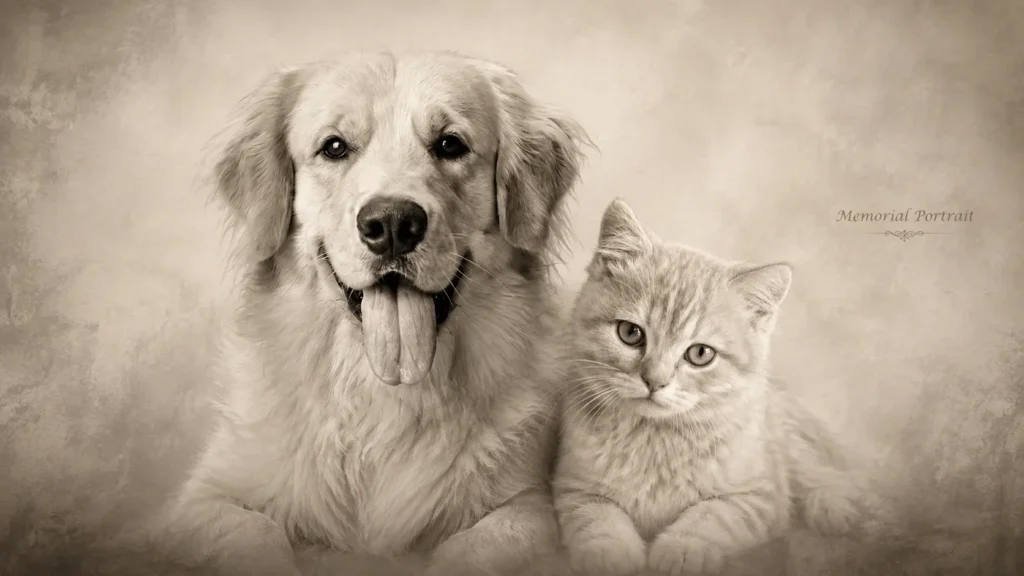
Softer styles tend to suit memorial pieces better than high-drama styles like royal portraiture:
Using these two photos, place both pets together in one gentle ink-wash style illustration, soft monochrome tones, both pets facing forward side by side, calm and peaceful mood, soft diffused light, simple textured background.
Using these two photos, place both pets together in one black-and-white portrait, soft natural lighting, both pets’ exact markings preserved, tender and quiet mood, gentle vignette, simple neutral background.
Troubleshooting Common AI Pet Portrait Problems
- The portrait doesn’t look like your pet, just “a dog” or “a cat.” The prompt likely named only the breed, not specific markings, or the source photo was too low quality for the model to lock onto anything specific. Add eye color, coat pattern, and one distinguishing feature to the prompt, and try re-shooting the reference photo in better light.
- Eye color comes out wrong. Most models default to the breed-typical eye color unless told otherwise. State the exact eye color explicitly, and check it in the result before finalizing — this is one of the fastest things to verify at a glance.
- Fur looks flat, plastic, or airbrushed. The prompt didn’t specify texture. Add “visible individual fur strands” or the medium-specific texture cue used throughout the style prompts above (“visible oil brushstrokes,” “visible paper texture” for watercolor).
- Background elements are merging into the fur. Usually caused by a busy or cluttered source photo. Use a simpler background photo where possible, or add “clean, simple background, subject clearly separated from surroundings” to the prompt.
- Extra toes, asymmetric eyes, or oddly shaped paws. A known weak spot in current diffusion models when it comes to fine anatomy. Add “anatomically correct paws, four toes visible” to the prompt, and manually check paws and eyes at full zoom before printing or sharing the image.
- Two pets have swapped markings in a group portrait. The model blended two subjects generated in a single pass. Switch to the generate-separately-then-composite workflow described in the multi-pet section above.
- The result looks over-processed or waxy. The source photo was likely heavily filtered — beauty mode, a saturation boost, or a vintage filter. Use an unfiltered, natural photo as the reference and regenerate.
Final Pet Portrait Prompt Checklist
- Reference photo is sharp, well-lit, face visible, simple background, unfiltered
- Prompt names the breed or species and at least one specific marking or feature
- Eye color is stated explicitly
- Medium and texture are named specifically, not just “oil painting” but “visible brushstrokes”
- Setting and lighting are described, not left to default
- For two or more pets, or a pet-and-owner shot: planned as generate-then-composite, not one combined prompt
- Generated at least three variations before picking a final image
- Zoomed in on eyes, paws, and markings to check for errors before using or printing
Conclusion
The pattern across every style in this guide is the same: specificity about your pet beats elaborate styling every time. A simple, well-lit prompt with the right markings named will consistently outperform an elaborate costume prompt applied to a vague, generic description of “my dog” or “my cat.” Get the identity layer right first — the breed, the markings, the eye color, the one detail that’s unmistakably theirs — and every style in this guide, from a Renaissance crown to a quiet memorial portrait, will actually look like the pet you’re making it for.
Frequently Asked Questions
1. What is the best AI prompt for a pet portrait?
The best prompts follow a consistent structure: name the specific breed or species, coat pattern, eye color, and one distinguishing feature, then add the medium, styling, setting, and lighting in that order. A prompt like “golden retriever with a white chest patch, oil painting texture, velvet robe, dark background, side lighting” outperforms a vague request like “portrait of my dog” because it gives the model specific, checkable details to preserve.
2. How do I make an AI portrait look like my dog?
Start with a sharp, well-lit, unfiltered photo where your dog’s face is clearly visible. Then name your dog’s specific markings, eye color, and any distinguishing feature directly in the prompt rather than relying on the breed name alone. Most likeness problems come from a low-quality reference photo or a prompt that describes the breed in general rather than the individual dog.
3. How do I preserve my pet’s exact markings in AI art?
Name the specific markings directly in the prompt — coat pattern, eye color, and any unusual feature like a folded ear or a paw with different coloring. When editing an existing photo in tools like Gemini or ChatGPT Image, explicitly add “keep the exact fur color, eye color, and markings unchanged” so the model anchors to the reference instead of a breed average.
4. What photo should I use for an AI pet portrait?
Use a sharp, well-lit photo with your pet’s face clearly in focus, shot in natural window light or open shade rather than direct flash. Choose a simple, uncluttered background, avoid filtered or heavily edited photos, and shoot from a front-facing or gentle three-quarter angle at your pet’s eye level for the most accurate result.
5. Can I create one portrait from photos of two different pets?
Yes, but it works best as a two-step process rather than a single combined prompt. Generate or style each pet individually first using their own clear reference photo, then prompt the tool to combine the two finished images into one composition. Generating both pets together from scratch in one pass often causes their markings to blend or swap.
6. Which AI generator is best for pet portraits?
It depends on what you need. Gemini’s Nano Banana Pro currently tends to preserve a pet’s exact likeness most reliably when editing an uploaded photo, and it also handles combining two pet photos into one scene well. ChatGPT Image is strong for making small conversational tweaks to a result. Midjourney tends to produce richer painterly texture for classical styles but relies more on a fully written text description than on the reference photo itself.