How can I make AI Generated images look real?
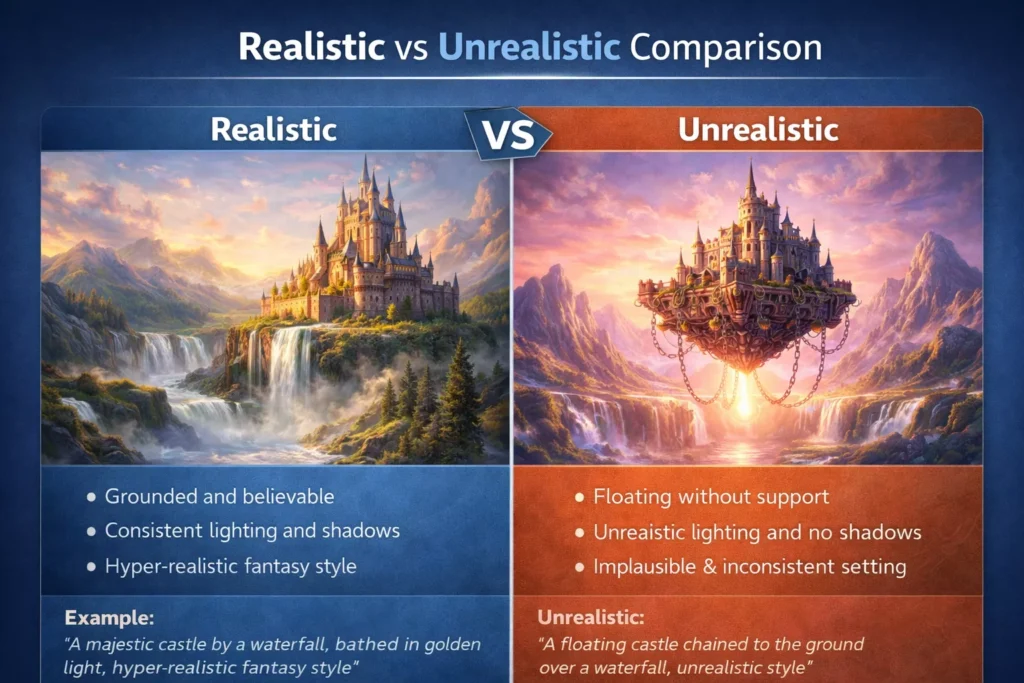
Artificial intelligence has made it possible to create stunning images in seconds. Yet, despite the power of modern tools, many AI-generated visuals still feel unnatural. You look at them and something seems “off” — even if you can’t immediately explain why.
This isn’t just a matter of opinion. Human perception is highly sensitive to visual inconsistencies, especially in faces, lighting, and spatial depth. Even small errors can make an image feel artificial.
The good news is that most of these issues are not random. They follow clear patterns — and once you understand them, you can fix them consistently.
This guide will walk you through why AI generated images look fake, and more importantly, how to correct those problems using practical, real-world techniques.
Quick Answer
AI images look fake because of incorrect lighting, overly smooth textures, lack of depth, and vague prompts. You can make them look realistic by using structured prompts, natural lighting descriptions, camera settings, and controlled imperfections.
What Makes an AI Generated Image Look Real?
Before fixing unrealistic images, it’s important to understand what realism actually means in visual terms.
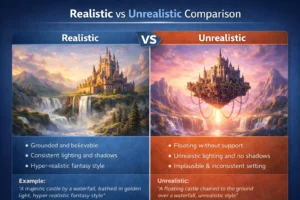
A realistic image is not just detailed — it behaves like a real photograph. That means:
- Light comes from a clear, consistent source
- Shadows follow physical direction
- Skin and surfaces show natural imperfections
- Focus and blur behave like a real camera
- The subject fits naturally into its environment
When any of these elements break, the illusion of reality breaks with them.
Why AI Generated Images Look Fake (Detailed Breakdown)
1. The Lighting Doesn’t Follow Real-World Physics
Lighting is the most important factor in realism, and also the most common reason AI generated images fail.
In real life, light behaves predictably. It comes from a source, spreads, reflects, and creates shadows based on the environment. AI models, however, often approximate this behavior rather than simulate it accurately.
This leads to subtle issues:
- Shadows pointing in different directions
- Highlights appearing without a clear source
- Faces that look flat instead of dimensional
These inconsistencies may seem small, but they are enough for the brain to detect something unnatural.
How to fix it
Instead of using vague phrases like “bright lighting,” describe lighting with intention. For example, specifying soft window light or golden hour sunlight gives the AI a clear direction. When lighting becomes consistent, the entire image immediately feels more believable.
2. The “Too Perfect” Problem
One of the biggest misconceptions is that perfection equals realism. In reality, it’s the opposite.
AI tends to generate flawless images — smooth skin, perfect symmetry, balanced colors. While this may look visually appealing, it often feels artificial because real-world visuals are never perfect.
Human skin has pores and slight variations. Faces are not perfectly symmetrical. Even professional photos contain minor imperfections.
How to fix it
Adding subtle realism cues such as natural skin texture, slight asymmetry, or minor imperfections can dramatically improve authenticity. These small details signal to the brain that the image is real.
3. Lack of Depth and Camera Behavior
Real cameras create depth through lenses and focus. When you take a portrait, the subject is sharp while the background gradually blurs. This creates a natural sense of distance.
AI-generated images often miss this nuance. Without proper instructions, everything may appear equally sharp, making the image feel flat and unnatural.
How to fix it
Incorporating camera-related details into your prompts makes a significant difference. Describing a shallow depth of field or referencing a specific lens helps the AI simulate real optical behavior. The result is a more natural separation between subject and background.
4. Vague or Unstructured Prompts
Many users underestimate how much prompt quality affects output.
A simple prompt like “a person in a park” leaves too many decisions to the AI. It fills in details based on probability rather than intention, which often leads to generic and unrealistic results.
How to fix it
A structured prompt provides clarity. Instead of describing only the subject, include context such as environment, lighting, and capture style. This reduces randomness and leads to more controlled, realistic outputs.
5. Texture and Detail Inconsistencies
Another subtle issue lies in textures. AI often produces surfaces that are too smooth or unnaturally uniform.
This is especially noticeable in:
- Skin (plastic-like appearance)
- Fabric (unnatural folds)
- Walls or backgrounds (lack of variation)
These details may not stand out immediately, but they reduce realism over time.
How to fix it
Encouraging natural variation — such as fine texture details or slight irregularities — helps break uniformity and creates a more authentic look.
6. Mismatch Between Subject and Environment
Sometimes the subject looks realistic, but the background does not match. This creates a disconnect that feels unnatural.
For example, lighting on the subject may not match the lighting in the environment, or the perspective may feel inconsistent.
How to fix it
Ensure that all elements of the image follow the same visual logic. When the subject and environment share consistent lighting and perspective, the image becomes more cohesive.
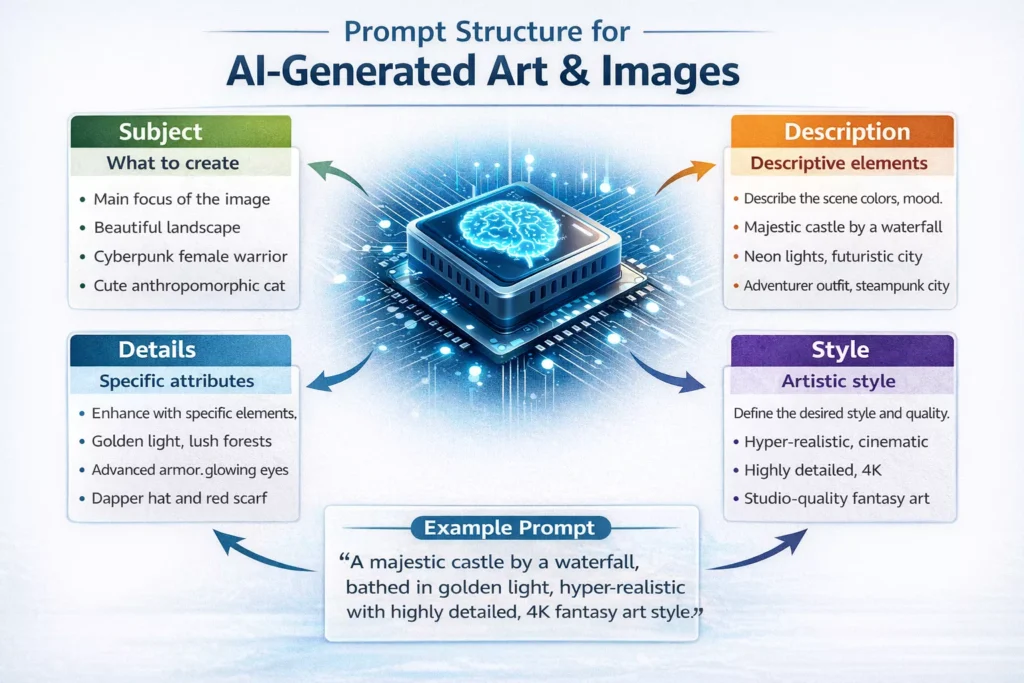
A Simple Framework for Writing Better Prompts
To consistently generate realistic images, it helps to follow a structured approach rather than writing random descriptions.
A reliable method is to build prompts in layers:
Start with the subject, define the environment, describe the lighting, specify camera behavior, and finally add realism-enhancing details.
This approach reduces ambiguity and gives the AI clear instructions to follow.
Example of a Refined Prompt
“A candid portrait of a young man sitting in a café, soft natural window light from the side, DSLR photography, 50mm lens, shallow depth of field, realistic skin texture with visible pores, natural color tones”
This type of prompt works because every element serves a purpose. Nothing is vague, and nothing is excessive.
How to Improve Results Over Time
One of the biggest mistakes beginners make is trying to fix everything at once. When an image looks wrong, they add more words to the prompt instead of refining it.
In practice, improvement comes from focused adjustments.
If lighting feels off, adjust lighting. If textures look artificial, refine texture details. By isolating problems and correcting them individually, you gain better control over the final output.
Over time, this process becomes predictable, and your results improve consistently.
Common Mistakes to Avoid
Many realism issues come from a few repeated mistakes. Being aware of them can save time and improve output quality immediately.
- Using vague prompts without structure
- Ignoring lighting direction and quality
- Adding too many conflicting ideas in one prompt
- Relying only on stylistic words instead of technical ones
- Expecting perfect results in a single attempt
Avoiding these mistakes alone can significantly improve your results.
Conclusion
AI image generation is not just about creativity — it is about control.
Most unrealistic images are not caused by limitations in AI, but by incomplete or unclear instructions. When lighting, texture, depth, and composition are properly defined, the difference in quality becomes immediately noticeable.
Realism is not something the AI “guesses.” It is something you guide.
Once you understand how these elements work together, creating realistic AI images becomes a repeatable process rather than trial and error.
Frequently Asked Questions (FAQs)
1. Why do my AI images look fake even with good prompts?
Even with good prompts, AI images can look fake if important details like lighting, shadows, and textures are missing or inconsistent. The model may also misinterpret complex instructions, leading to unrealistic results.
2. How do I fix AI images that look unrealistic?
You can fix unrealistic AI images by improving your prompt with more specific details such as lighting, camera angle, and texture. Adding terms like “realistic lighting” and “high detail” helps the AI generate more natural-looking results.
3. What makes an AI-generated image look realistic?
A realistic AI image depends on proper lighting, accurate shadows, natural proportions, and detailed textures. When these elements are consistent, the image looks more believable and less artificial.
4. Why do AI-generated faces and hands look weird or distorted?
AI models often struggle with faces and hands because they require precise proportions and symmetry. Small errors in prompt clarity can lead to distorted features, extra fingers, or unnatural expressions.
5. How can I improve the quality of AI-generated images?
To improve AI image quality, use structured prompts that clearly define the subject, environment, lighting, and style. Avoid vague descriptions and include realistic details to guide the AI more effectively.